Understand your training and recovery.
Lucie connects your Polar training and recovery data with your calendar, helping you understand how your workouts fit into your daily routine.
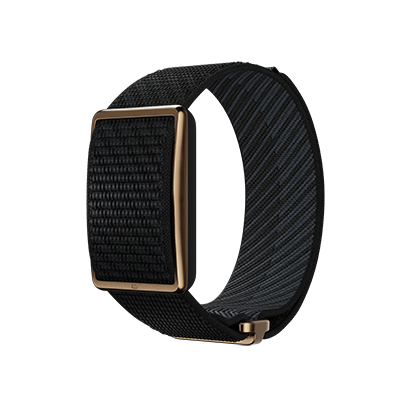
Connect your Polar watch to Lucie. Understand your training and recovery, track your progress and plan workouts around your schedule.
Lucie connects your Polar training and recovery data with your calendar, helping you understand how your workouts fit into your daily routine.
Tell Lucie what you want to train and let it help you find time for your next session around work and personal commitments.
After intense workouts or poor sleep, Lucie helps you recognise when you might benefit from more recovery time.
In Lucie, open Settings, then Integrations, and choose Polar.
Lucie opens Polar’s own sign-in page. Log in there with your Polar account, so Lucie never sees your password.
Confirm that Lucie may read your training, sleep and recovery. That’s it: your data starts to arrive and you can ask about it straight away.
You log in to Polar on Polar’s own site and approve access there. Lucie never sees your password.
Lucie uses your Polar data to answer questions and plan your day. Nothing in your Polar account is edited.
Lucie helps you understand your own numbers. It isn’t a medical device.
Lucie stops using the account straight away, and nothing in your Polar account is changed.
Lucie has no ads and never sells your data. It’s encrypted, hosted in the EU, and the Lucie team can’t read it.
Sessions get a real slot in your week, and move when a meeting lands on them.
Nutrition and body measurements from Apple Health sit next to your training.
A reminder to pack your kit the evening before an early session.
Training sessions, sleep, recovery and heart rate from your Polar account, once you approve access on Polar’s page.
Any Polar watch or sensor that syncs to your Polar account. Lucie reads the data from the account, not from the device itself.
No. Lucie helps you understand your own data and plan your days around it. It isn’t a medical device and doesn’t diagnose or treat anything. For health concerns, talk to a doctor.
Open Settings, then Integrations, choose Polar and disconnect it. Lucie stops using it, and your data in Polar isn’t changed.
No. Lucie has no advertising business and never sells your data. It’s paid for by subscription.
Lucie runs on European cloud infrastructure. Your personal data is encrypted in transit and at rest, and the Lucie team can’t read it, including for support.
Let Lucie fit training into your real week.
See all integrations Google CalendarCalendar
 GmailEmail