Meet Lucie

Scroll
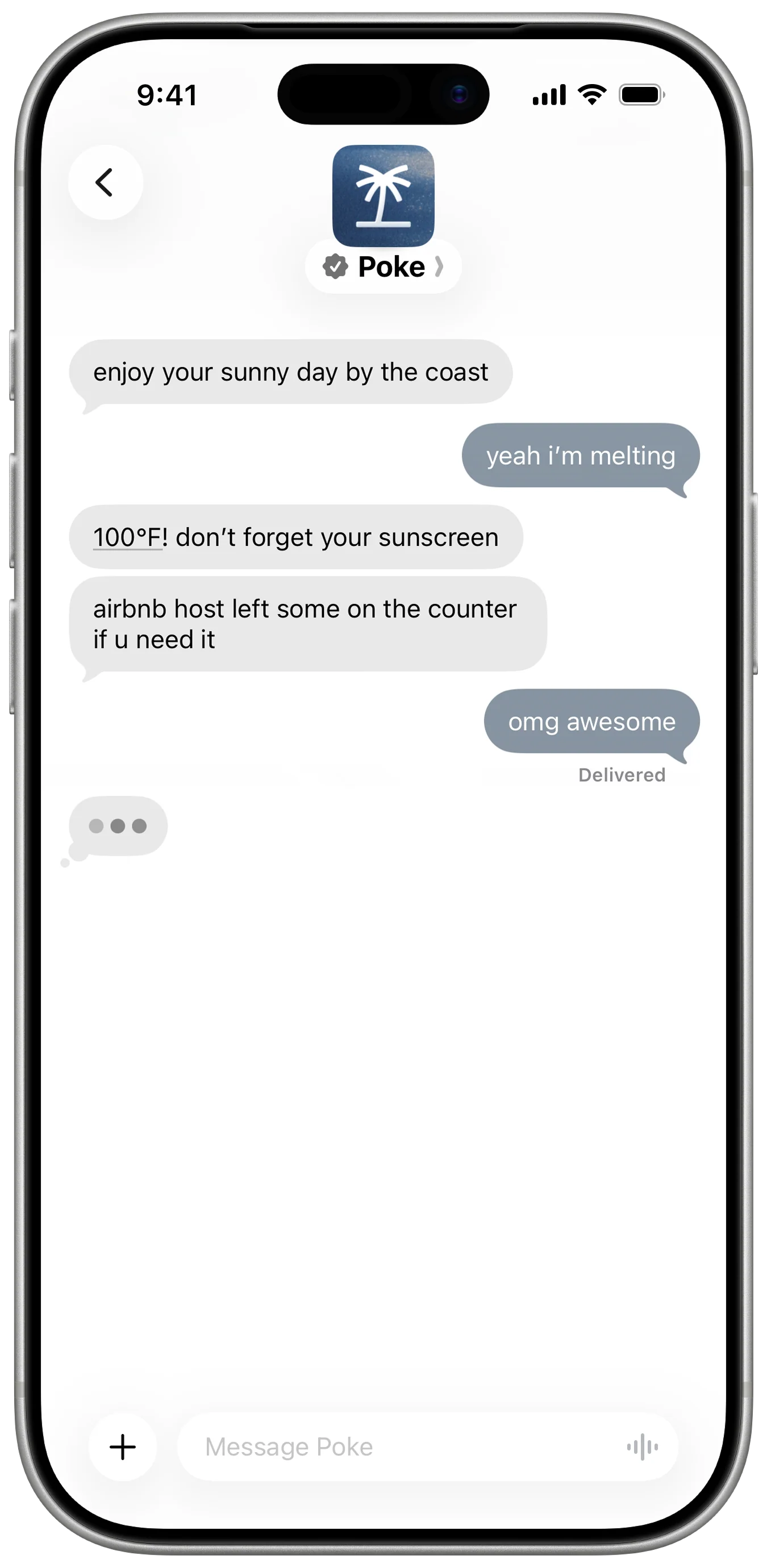
My recovery is 62 today. Should I skip my workout?
I wouldn’t decide from the score alone.
You have 4 meetings before lunch, your workout is at 17:30, and yesterday you wrote that training usually helps clear your head.
Keep it, but make it 45 minutes and stay mostly Zone 2?
Adjust workoutKeep as planned
Adjust workout
Workout changed to 45 min, mostly Zone 2.
Illustrative example. Lucie combines signals with your context.
Scroll

Your body is only
half the story.

Your wearable sees your body. Lucie sees the life around it.

Works with the health data you already collect.
  • Apple Health
  • Apple Watch
  • WHOOP
  • Oura
  • Garmin
  • Fitbit
  • Suunto
  • Polar

Know what
changed.

A score tells you something moved. Lucie helps you notice what keeps happening around it.

Your wearable noticed

HRV down 12%

Your lowest HRV mornings this month came after nights you were still on your laptop past 23:00. You have a call at 21:30 tonight. Want me to protect half an hour to wind down after it?
Your calendar
changes the answer.

A recovery score means something different depending on the day ahead.

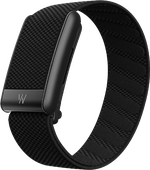
WHOOP wearableRecovery 61
Google CalendarFree after 15:00

You’re lower than usual, and your afternoon is open. Want to move your run from 12:30 to 17:30 and give yourself a few more hours?

Your score
isn’t your life.

Sometimes the data says slow down and you feel great. Sometimes it says you’re fine and you know you’re not.

58Readiness
You wrote this morning

“I actually feel great.”

Your readiness is lower, but you feel good and your recent training load is normal. Treat the score as context, not a command.

Turn insight
into action.

Understanding is useful. Changing something at the right moment is better.

Illustrative examples of how Lucie turns wearable data into context and action.

Scroll

From signal
to action.

A signal in the morning, a reflection at night. Lucie learns from both.

  1. Wearable

    Recovery 64 · Sleep 6h 12m

    Lucie sees it.
  2. Context

    You went to bed later after dinner with the team.

    Lucie connects it.
  3. Calendar

    Today: 4 meetings before lunch · Workout at 17:30

    “Want to keep the workout lighter?”

    45 min Zone 2Keep original
  4. Reflection

    “Energy was actually good today.”

    Lucie remembers.
Scroll

Finally, all your
health context together.

Not just what to do today. What has been happening over time.

Get Lucie for Mac Scroll

Your health data
remains yours.

You choose what connects. You stay in control.

You choose what Lucie can see.

Connect only the health and life sources you want Lucie to use.

Disconnect anything, anytime.

You decide which sources stay connected, and for how long.

You always know why.

Every insight shows the signals and context behind it.

Your data stays protected.

Encrypted in transit and at rest, with an extra layer on the most sensitive fields.

Context, not surveillance.

Lucie understands enough to help, then stays quiet. It doesn’t need every part of your life.

Your data is never the product.

Lucie is built to serve you, not advertisers.

Lucie is built on cloud infrastructure certified and independently assessed against leading security and privacy standards.

Hover or tap a standard to see what it covers.

Scroll

You bought the wearable.
You still have questions.

Recovery“My recovery is red. Okay… now what?”A score without your schedule can’t tell you what the right day looks like.
Sleep“My sleep score keeps dropping and I have no idea why.”What changed in your evenings, work, food, attention or routine?
Stress“My watch says I was stressed all day. I didn’t even feel stressed.”Physiological stress and how you consciously feel are not always the same thing.
Data“I have HRV, readiness, resting heart rate, sleep stages and trends everywhere.”But what should you actually do differently today?

Common wearable questions. Lucie helps connect the context behind them.

Scroll

A few things
you might be wondering.

Does Lucie replace my wearable?

No. Your wearable measures valuable signals from your body. Lucie adds context from the rest of your life and helps turn those signals into useful decisions.

Which wearables can I connect?

Today Lucie connects to Apple Health, Apple Watch, WHOOP, Oura, Suunto and Polar. Garmin and Fitbit are connected via Apple Health.

What does Lucie do with my recovery score?

It looks at the score alongside the context you choose to share, such as your sleep, calendar, recent activity and reflections. The goal is to help you understand what the number means for your actual day.

Will Lucie tell me whether I should train?

Lucie can help you think through the decision using your recovery, recent load, schedule and how you feel. It offers context and options rather than treating one score as an absolute command.

Can wearable data be wrong?

Yes. Consumer wearable measurements and derived scores are useful signals, but they are not perfect. Lucie treats them as context rather than unquestionable truth.

Is this medical advice?

No. Lucie helps you understand patterns in your personal data and routines. It does not diagnose medical conditions or replace professional medical care.

Do I need a wearable to use Lucie?

No. Wearables add another layer of body context, but Lucie can still help using the other parts of your life you choose to connect.

Scroll

Turn your data
into better days.

How to install Lucie on Mac
  1. Open Lucie.dmg from your Downloads folder.
  2. Drag Lucie into your Applications folder.
  3. Open Lucie from Applications.

Apple silicon (M-series). macOS 14 or later.