How to Find and Cancel Subscriptions You Forgot About
A step-by-step guide to finding every subscription you pay for, deciding which to keep, and cancelling the rest without the runaround.
Most of us pay for something we no longer use. A free trial that turned into a monthly charge. A streaming service from a show we finished last winter. A fitness app we opened twice.
It adds up faster than it feels. In a 2022 survey of 1,000 Americans, people guessed they spent $86 a month on subscriptions. When they listed every charge, the real number was $219, $133 more than they thought.1 In the UK, Citizens Advice estimates that people spent £688 million on subscriptions they didn’t use in a single year.2
The fix takes about 30 minutes. Here is the exact routine, step by step.
Your numbers
What are your forgotten subscriptions costing you?
You pay a year
€1,188
Going to ones you rarely use
€396
People guess low: in one survey the real monthly total was $133 higher than the estimate.
Step 1 Search your inbox for receipts and renewals
Almost every subscription sends an email when you sign up, when a trial ends and when it renews. Your inbox is the most complete list you have. Pick your email app below and copy the search.
subject:(receipt OR invoice OR renewal OR subscription OR trial) newer_than:1y- NetflixYour receipt from Netflix€17.99 · Monthly
- HeadspaceYour free trial ends in 2 daysThen €12.99 a month
- SpotifyYour Premium plan renews soon€10.99 · Monthly
- iCloud+Your iCloud+ subscription receipt€2.99 · Monthly
Open each result and write down the service, the price and how often it charges. Look closely at emails that say “your trial is ending” or “your plan will renew”. Those are the ones that slipped through.
Step 2 Scan three months of bank and card statements
Some services never email a receipt. Your statement catches them. Download the last three months from your banking app and look for the same amount appearing every month, or every year around the same date.
- NETFLIX.COMMonthly−€17.99
- SUPERMARKET 2041−€64.20
- APPLE.COM/BILLMonthly−€2.99
- TRAIN TICKETS−€38.50
- SPOTIFY P1B2C3Monthly−€10.99
- COFFEE BAR−€4.10
- DUOLINGO*PLUSMonthly−€13.99
- HEADSPACE.COMTrial ended−€12.99
Recurring this month€58.95
Small charges are the easiest to miss. A €2.99 storage plan or a €4.99 app looks like nothing, until you count twelve of them. If you see a name you don’t recognise, search it before you dispute it: payment names are often shortened company names.
Step 3 Check App Store and Google Play subscriptions
Anything you subscribed to inside an app is billed by Apple or Google, not by the app itself. They keep their own lists.34
iPhone or iPad
- Settings
- Your name
- Subscriptions
Active
Cancel Subscription
Android
- Play Store
- Profile picture
- Payments & subscriptions
- Subscriptions
Active
Cancel subscription
Deleting an app does not cancel its subscription. You will keep paying until you cancel it here.
Step 4 Put everything in one list and decide
Now you have every charge in one place. For each one, note what it costs a month and when you last used it, then make a call. Keep it if you used it in the last month and it’s worth the price. Downgrade it if you use it, but not enough for your plan. Cancel it if you haven’t opened it in a month or more.
Saved by cancelling two€26.98 a month · €323.76 a year
Be honest about “I might need it”. Most services let you come back whenever you want, often with your history intact.
Step 5 Cancel each one the right way
How you cancel depends on where you subscribed.
Cancel in App Store or Google Play subscriptions.
Sign in › Account or Billing › Cancel or Manage plan.
Email the company and ask for written confirmation.
Hi [company],

Please cancel my [plan name] subscription for the account [your email], effective today, and stop all future payments. Please confirm the cancellation in writing.

I was charged [amount] on [date] for a renewal I did not intend. Please refund it.

Thank you,
[Your name]
Cancelling usually keeps your access until the end of the period you have already paid for. A refund is a separate request: if you were charged for a renewal you didn’t want, ask for one in the same message.
Step 6 Set a reminder so it doesn’t happen again
Most forgotten subscriptions start as free trials. When you start one, put a reminder in your calendar two days before it ends.
Next full check8 February
Then repeat this check every three months. The second time takes ten minutes.
Or let Lucie do it for you
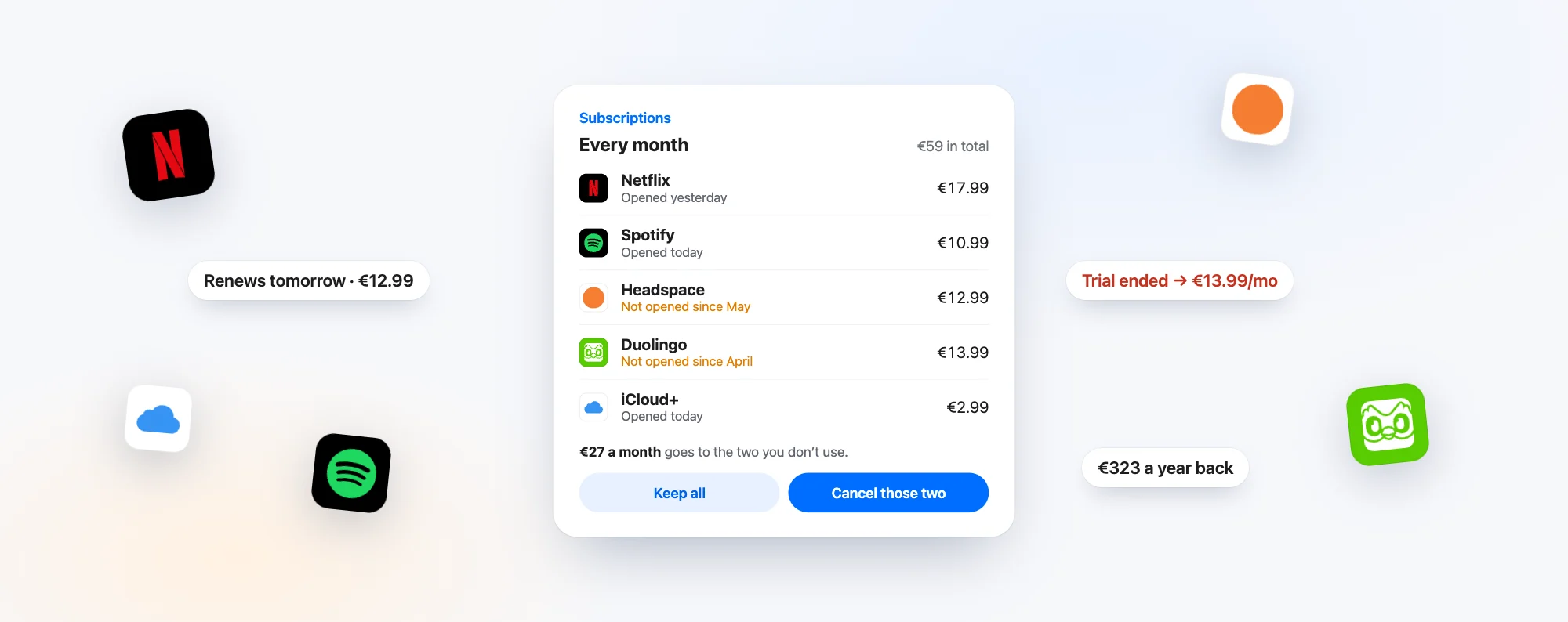
Lucie is a personal AI for iPhone and Mac. When you connect your email, it finds your subscriptions and shows what each one costs you and which ones you haven’t opened in a while. Ask “what am I paying for every month?” and you get the list. Say which ones to cancel and Lucie drafts the cancellation email or takes you to the right page. Nothing is sent without your yes.
What am I paying for every month?
Five subscriptions, €59 a month. Two of them you haven’t opened since spring. Keep them or cancel?
Subscriptions
€27 a month goes to the two you don’t use.
Cancel those two.
Here are both cancellation emails, ready to send. Want me to send them?
Questions people ask
Does deleting an app cancel the subscription?
No. You keep paying until you cancel it in App Store or Google Play subscriptions, or on the service’s website.
Will I get a refund when I cancel?
Not automatically. Cancelling stops the next payment. For a charge you didn’t want, ask the company, or Apple or Google for subscriptions bought inside an app.
How do I find a subscription I don’t recognise on my statement?
Search the exact payment name online, then search your inbox for the amount. Payment names are often shortened versions of the company name.
How often should I check my subscriptions?
Every three months, and whenever a free trial is about to end.